
Safety in the electronics workshop
We work like little engineers — carefully, safely and together
Welcome to the electronics workshop!
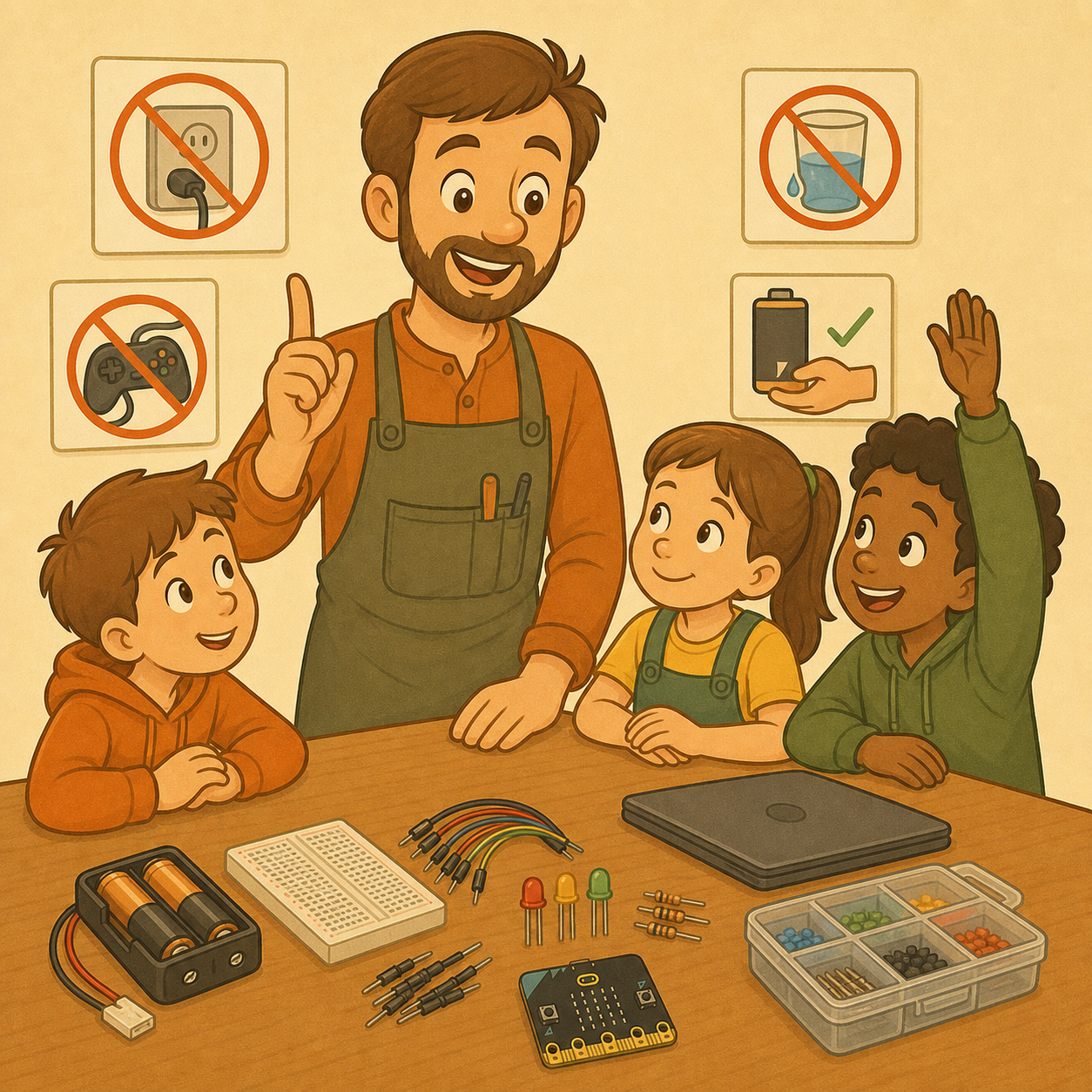
Here we will build lights, traffic lights, alarms, small gadgets with sensors and, later on, projects with the micro:bit. We will use batteries, LED lights, wires, breadboards, push buttons, buzzers and other small electronic parts.
Electronics is exciting because we can come up with an idea, build it, test it and fix it. But a good inventor doesn’t only think about whether the project will work. They also think about whether the project is safe.
In our workshops we only use safe, battery-powered, low-voltage circuits. We don’t work with wall sockets, mains electricity, opened-up chargers, household appliances or anything else plugged into the wall. Working with batteries and small parts still needs care: a wrong connection can heat up a wire or a battery, tiny parts can get lost, and electronics can be damaged if we don’t handle it properly. Safety guidelines for practical activities in schools treat low-voltage battery circuits very differently from the dangers of mains electricity.
An important workshop rule: we listen to the leader
We only use the computer when the leader says so
In the workshop we work like real little engineers. That means we listen carefully to the workshop leader, follow the instructions step by step and ask when we don't understand something.
- We only use the computer, tablet or micro:bit when the leader says it's time.
- When the leader is explaining something, we watch, listen and don't click on the computer.
- We don't open games, YouTube, social media, other websites or programs that aren't part of the workshop.
- Playing games on the computer during the workshop is not allowed.
- The computer is not a toy: it is our tool for programming, exploring and controlling our projects.
- If we finish a task early, we don't start a game on our own. We ask the leader for an extra challenge, help another team or move on to the next task.
- If we don't know what to do, we first raise our hand and ask – we don't click around or change the program at random.
When everyone listens to the instructions, the workshop is safer, the projects work better and everyone has enough time to build their invention.
The most important workshop rules
Remember these 10 rules
- We only use the parts and batteries the leader has prepared.
- We don't touch wall sockets, chargers, bare cables or devices plugged into the wall.
- We never connect the plus and minus of a battery directly with a single wire.
- Before moving wires, we switch off the battery holder or disconnect the power.
- An LED always needs a resistor.
- We don't work with wet hands and we don't keep drinks next to the electronics.
- We never put batteries, wires or small parts in our mouth.
- If something is hot, smells strange, smokes or doesn't work as it should: we stop straight away and call the leader.
- We don't take batteries apart, and we don't charge batteries unless the leader has said they are rechargeable.
- When we finish, we switch off the power, put the parts away and clean our table.
What is a safe workbench?
Before we start, our table needs to be ready for work.
We only keep the parts we need for the current task on the table. If the table is too full, it’s easy to lose an LED, mix up resistors, drop a battery or accidentally plug a wire into the wrong place.
Allowed on the table
- The breadboard and the components we are using right now.
- The battery holder and batteries.
- Wires, LEDs, resistors, push buttons and sensors.
- Project instructions (on the computer or on paper), a pencil and paper for notes.
- The micro:bit and its battery pack when we are working with the micro:bit.
Not allowed on the table
- Drinks, juice, water or an open bottle.
- Food, crumbs and sweets.
- Big piles of parts we don’t need.
- Unknown cables, chargers or devices brought from home.
- Metal objects that aren’t part of the activity, such as keys or coins, when we are working with an open circuit.
Water and electronics don’t go well together. Wet hands, a spilled drink or a wet table can damage components and create connections we didn’t plan.
Batteries: a small source of energy
A battery gives energy to our electronic circuit. Even though we use small batteries, we handle them responsibly.
A battery has two terminals:
- Plus ( + )
- Minus ( − )
For our circuit to work, energy has to travel around a carefully built closed loop: from the plus of the battery, through the parts of the project, and then back to the minus.
What is a short circuit?
A short circuit happens when we connect the plus and minus of a battery directly, for example with just one wire, without an LED, resistor, motor or another part that limits the current. Don’t do it!
Then energy can rush through the wire very quickly. The wire or the battery can get hot, the battery can go flat quickly, and parts can be damaged.
If you see that someone has made a connection like this by accident, don’t pull the wires out by force. Tell the leader. The leader will safely switch off or disconnect the power.
Battery rules
- Use batteries of the same type, as the leader tells you.
- Don’t mix old and new batteries.
- Don’t mix different types of batteries.
- Put batteries in the right way round, following the plus and minus marks in the holder.
- Don’t take apart, pierce, squash or throw batteries.
- Don’t try to charge a battery unless it is marked as rechargeable and the leader has prepared the right charger.
- If a battery looks damaged, is leaking, has swollen up or is getting hot, don’t touch it – call the leader straight away.
- After work, switch off the battery holder or disconnect the battery from the circuit.
Batteries are a good choice for low-voltage experiments with LEDs, buzzers, small motors and similar components, but the circuits must be connected correctly and supervised.
Small batteries are not toys
Some small, flat, round batteries are called button or coin-cell batteries. In our workshops they are not left out as free materials.
These batteries can be very dangerous if someone swallows one. They can cause serious injuries inside the body, even if there are no signs at first. That is why we keep them closed away, out of reach of children, and dispose of them safely as soon as they run out.
If someone finds a small round battery
- They don’t put it in their pocket.
- They don’t give it to another participant.
- They don’t put it in their mouth.
- They hand it to the leader straight away.
If anyone might have swallowed a button battery, it is an emergency: a parent or guardian is told immediately and urgent medical help is called. Nobody waits for signs to appear.
Wires, LEDs and the breadboard
Wires are the paths that connect the parts of a circuit.
- We push wires in gently, without forcing them.
- We don’t bend them, pull them or wrap them around our fingers.
- We don’t touch the metal ends of wires without a reason while the circuit is switched on.
- Before changing a connection, we switch off the power.
- If a wire falls out or is damaged, we call the leader or take a new one as instructed.
An LED light is a small light that has a direction.
- The longer leg of the LED usually goes towards plus.
- The shorter leg usually goes towards minus.
- We always connect an LED together with the right resistor.
- If the LED doesn’t light up, we first check its direction and the connections.
- We don’t stare for a long time, from very close, into a bright LED, especially a white or blue one.
A resistor protects the LED by limiting the current that flows through it. In simple breadboard projects, every LED needs the right current limit and must not be connected straight to the power supply.
A breadboard is a board for building circuits without soldering.
- We don’t force parts in.
- We don’t put two legs of a component into the same row of holes at random.
- We don’t move parts while the power is switched on.
- We don’t leave wires that connect the plus and minus rails directly.
- If we aren’t sure where something should go, we ask the leader first.
- When we finish, we carefully unplug the parts and put them back in their boxes.
What makes a good electronics engineer?
A good electronics engineer works slowly, checks every step and tests one change at a time.Rule: switch off before you change anything
One of the most important workshop rules is:
- First switch off the power. Then change the circuit.
When we want to:
- move a wire,
- add an LED,
- swap a resistor,
- add a push button,
- turn an LED round,
- connect a motor or a buzzer,
- connect the micro:bit to the breadboard
…we first switch off the battery holder or disconnect the battery.
Only then do we move the parts.
This rule makes a short circuit less likely, protects the components and makes it easier to find mistakes.
If something doesn’t work
In electronics it is normal for the first try not to work straight away. That is no reason to panic or to pull out wires at random.
Finding problems is called debugging.
When a circuit doesn’t work, we follow these steps in order:
- Switch off the power.
- Look at the instructions and compare your circuit with the example.
- Check the batteries and the switch on the holder.
- Check the plus and minus rails.
- Check that the LED is the right way round.
- Check that the LED has a resistor.
- Check that the wires are in the right holes on the breadboard.
- Check that plus isn’t accidentally connected straight to minus somewhere.
- Switch the power on only after checking.
- If it still doesn’t work, call the leader.
We don’t change all the parts at once, because then we won’t know what the real problem was.
When do we stop straight away?
We stop working immediately and call the leader if we notice any of these:
- A battery, wire, LED, resistor or another part is getting hot.
- We notice a strange smell, see smoke or a part changing colour.
- A battery is leaking, looks damaged or has swollen up.
- A wire is damaged, broken, or its insulation has come off where it shouldn’t have.
- A part has fallen on the floor and we don’t know if it is damaged.
- We don’t know how to connect something.
- Water or another drink has been spilled near the circuit.
- Someone has put a part in their mouth, swallowed a part or got hurt.
In these situations we don’t try to fix the problem ourselves. We take our hands away from the circuit and tell an adult.
The micro:bit and other devices
The micro:bit is a small computer that we can program. It can show pictures on its LED screen, read sensors, play sounds and control external components.
The micro:bit is not a toy to be bent roughly or pulled by its cables.
Micro:bit rules
- We hold the micro:bit by its edges and don’t pull it by the USB cable or the wires.
- We don’t put metal objects across its pins.
- We don’t connect lots of wires to the pins at random.
- We don’t connect the micro:bit to an unknown power supply.
- When we use external LEDs, motors or sensors, we follow the instructions exactly.
- We don’t try to repair the board ourselves if it gets damaged.
- After work, we switch off the battery pack and carefully unplug the parts.
The official micro:bit guidance recommends handling the board and its connectors carefully, using a suitable power supply and avoiding incorrect external connections.
Tidying up is part of the project
A project isn’t finished when the LED lights up. A project is finished when the workbench is safe and tidy.
At the end of every workshop:
- Switch off the battery holder.
- Disconnect the battery if the leader asks you to.
- Check that no part is getting hot.
- Take the circuit apart only as the leader tells you.
- Put the LEDs, resistors, wires and push buttons back in their labelled boxes.
- Find any parts that have fallen on the floor.
- Wipe the workbench if there are bits of paper, cardboard or leftover materials.
- Tell the leader if something has broken, gone missing or doesn’t work.
A tidy table helps you and the next team start building your projects quickly.
 A little quiz to finish
1. When can we use the computer or tablet in the workshop?
2. What do we do if we finish a task before the others?
3. What is the most important rule before we move a wire on the breadboard?
4. What can happen if we connect the plus and minus of a battery directly with just a wire?
5. Why does an LED light need a resistor?
6. Can we work with wall sockets or chargers in the electronics workshop?
7. What should you do if a battery or a wire starts to get hot?
8. Can there be water, juice or an open bottle on the table?
9. What is debugging?
10. Are you allowed to take apart or charge a battery without the leader's instructions?
11. What do you do if you find a small round button battery?
12. What are three important steps after finishing a project?